
The page arrives at 3am. This answers it.

WarnFire distills a stream of alerts into one incident and puts the whole of it in your hands: what broke, who it tried and who it reached, and an acknowledgement the system can prove — before you are properly awake.

Download WarnFire on the App StoreQR code that opens the WarnFire App Store listing on a phone camera.
Get WarnFire on Google PlayQR code that opens the WarnFire Google Play listing on a phone camera.

FREE · IOS 16.4+ · IPHONE, IPAD, ANDROID

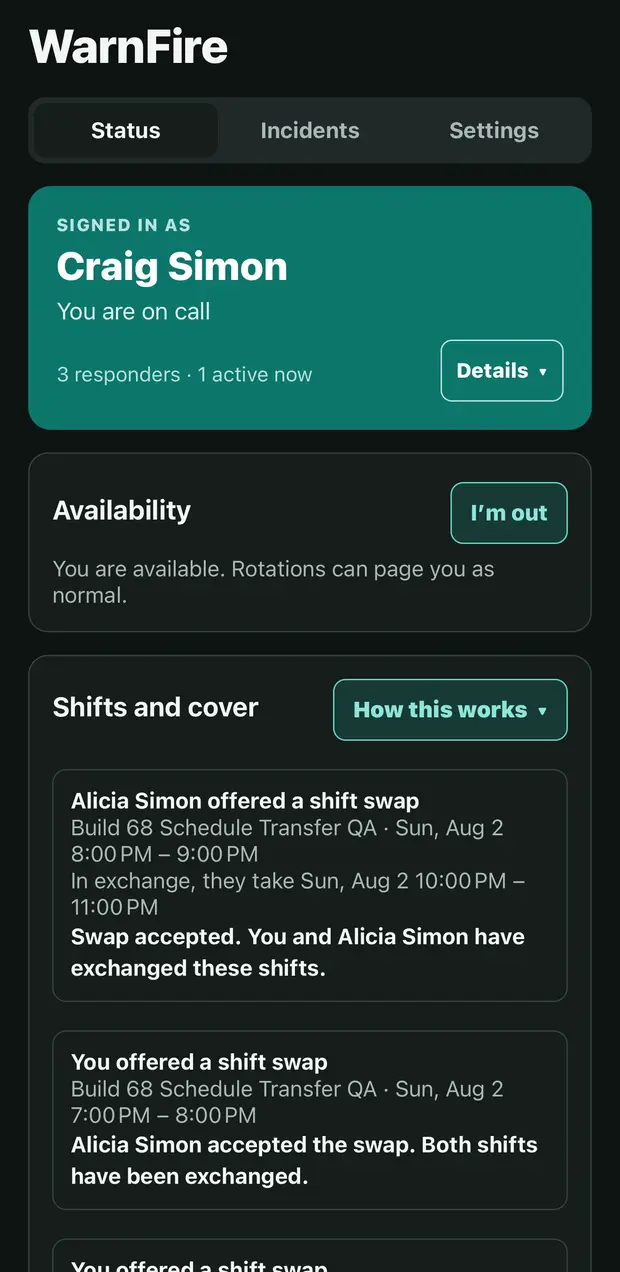
The WarnFire status screen on an iPhone: signed in as Craig Simon, on call, with an availability toggle and a shifts and cover list.

CH 4 · RESPONDER APP

What a responder does on a phone.

All screens below are from the current shipping application.

Build 1.0.0

01 · TIMELINE

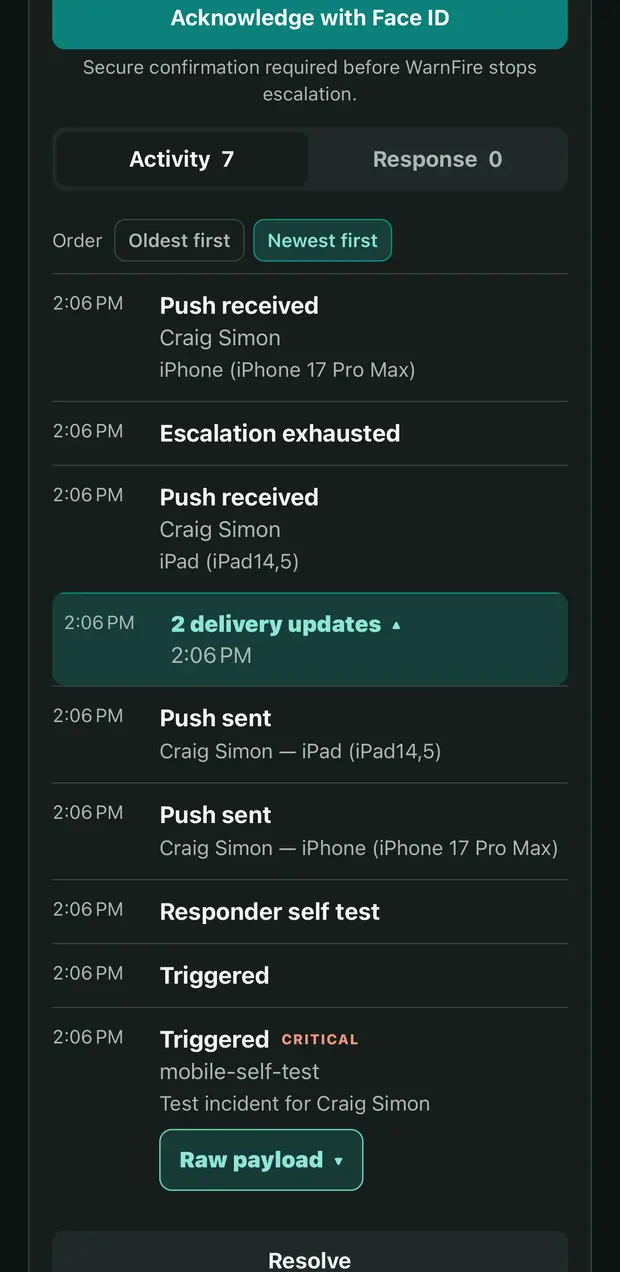
An incident timeline in the WarnFire app on an iPhone: pushes sent and received per device, an exhausted escalation, a responder self-test, the triggering event, and a Raw payload control, under an Acknowledge with Face ID button.

One incident, and every attempt behind it.

The timeline holds every interaction it took to get a responder here, in order: each push sent and each one received, named per device, every escalation step, and the responder self-test.

Raw payload opens the triggering events that were rolled up into this one incident, so the alerts behind it stay inspectable instead of collapsing into a headline.

Acknowledging asks for a secure confirmation before WarnFire stops escalating. Nothing else silences the page — not a notification dismissal, not a missed call.
02 · ROTATION

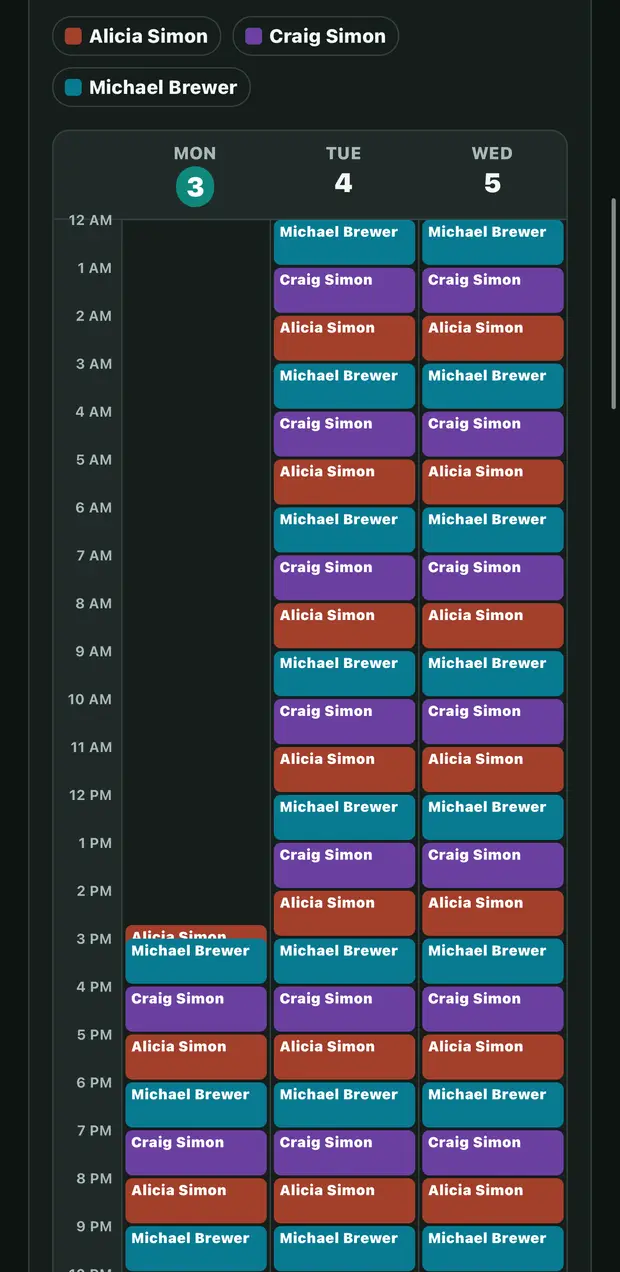
A three-day on-call calendar in the WarnFire app on an iPhone, with colour-coded hourly blocks for three responders.

See the whole rotation, not just your turn.

A three-day timeline colour-codes every responder holding the pager, hour by hour. The handoffs around your own shift are visible instead of implied.

03 · COVER

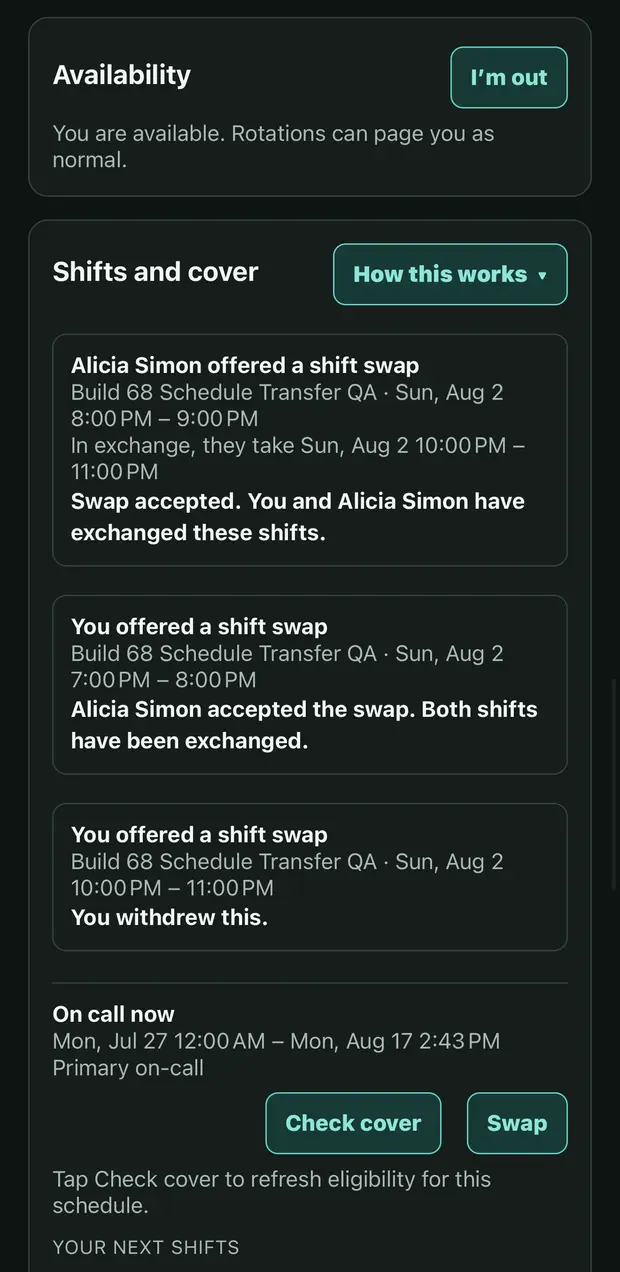
The shifts and cover screen in the WarnFire app on an iPhone, showing an availability toggle, three shift swaps in accepted and withdrawn states, and Check cover and Swap actions.

Hand the pager over without opening a laptop.

Mark yourself out and rotations stop paging you. Offer a swap and the app carries it through offered, accepted, and withdrawn.

Check cover refreshes who is eligible for that schedule, so you ask someone who can take it.

Before you install

Requirements

What you need
A WarnFire account. The app signs in to an existing workspace — create one if you do not have one yet.
iPhone and iPad
iOS 16.4 or later.
Android
Available on Google Play.
Notifications
Allow notifications when the app asks. Without that permission the app cannot page you on this device.
Price
Free to download and use with your WarnFire plan.
Deleting your account
Open Settings in the app and choose Delete account. Deletion is immediate and permanent; privacy choices lists exactly what is removed.

No workspace yet?

Create one, send a test incident, then sign in on your phone and watch it arrive.

Start a workspace